Why Should You Add a Countdown Timer to Your Store?
Tutorials & Tips
4 Min Read
Countdown timers help shoppers act faster by showing clear deadlines and offers. Learn how to use them ethically where they fit best and what to avoid.
A sale can be good and still get ignored. That happens because shoppers do not feel a reason to act today. They open a new tab. They get distracted. Then they forget.
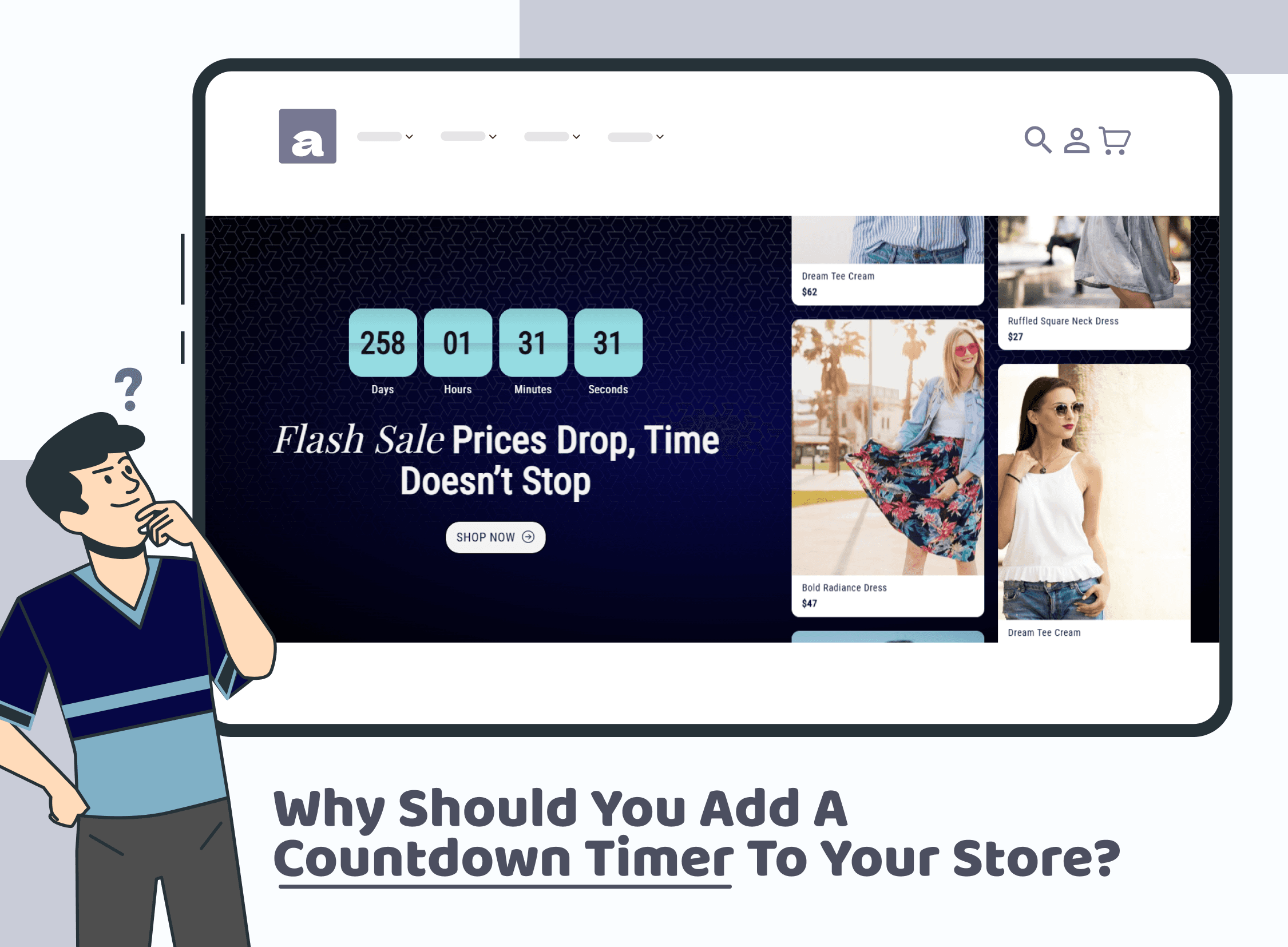
A countdown timer fixes that single problem. It puts a visible deadline on the page. It also turns a vague promotion into something concrete. Most importantly, it does this without taking over your design.
However, a timer is only powerful when it is honest. If it feels fake, it hurts trust. So the goal is simple: use urgency to add clarity, not pressure.
What a countdown timer really does
A countdown timer is not a decoration. It is a decision tool. It answers the question every shopper thinks about but rarely asks out loud: “Do I need to decide now, or can I come back later?”
When the timer is tied to a real event, it reduces hesitation. It also reduces mental effort. Instead of debating, the shopper sees a finish line. As a result, they either act or move on, which still improves the shopping experience.
Why this works without changing your product
You can have a great product and still lose sales. Most losses come from delay, not dislike. A countdown timer targets delay.
It works because it removes the comfort of “later.” It also creates a clear moment to act. That moment matters during high-intent sessions, especially when someone is already comparing options.
In addition, timed offers feel more active. Your store stops feeling static. That can lift engagement even before it lifts conversions.
Where a countdown timer fits best (without overdoing it)
You do not need a timer on every page. In fact, overuse makes it blend into the background. Instead, place it where timing is genuinely relevant.
On a product page, it works when the shopper is close to buying. Put it near the price or near the main call to action so it supports the decision. On a collection page, it helps when a promotion applies to a category, because it gives the shopper a reason to explore now. In the cart, it can help too, but only when it relates to something real like a shipping cutoff or an expiring offer.
If the timer appears, the offer must match it. Otherwise, your store feels inconsistent.
What the timer should be linked to
A timer needs a clean purpose. If a shopper cannot tell what ends, the timer becomes noise.
Tie your countdown timer to one clear outcome. For example, the discount ends, a free gift ends, or express shipping cutoff is approaching. Keep it simple. Also, make sure your promo rules match what the timer implies.
A calm line like “Sale ends in 03:12:10” feels believable because it is specific. On the other hand, vague urgency can feel manipulative.
The trust rule: avoid fake urgency
If a countdown timer resets every day, shoppers notice. Once they notice, they stop trusting other claims too. That is a bigger problem than losing a single sale.
Instead, treat timers like campaign tools. Use them during real events. Then remove them when the event ends. That small step keeps urgency meaningful.
It also helps to keep your timer aligned with your customer support and policy pages. If the site says one thing and the timer suggests another, confusion grows fast.
What to write next to the countdown timer
Copy is where the timer becomes human. If the text sounds robotic, the whole section can feel fake.
Keep the message short and useful. Start with the benefit, then show the time. “Offer ends in” works because it is neutral. “Free shipping ends in” works because it is clear. “Order in time for dispatch” works because it is practical.
If you add a second line, make it informative. For instance, clarify what happens when the timer hits zero, such as “Price returns to regular” or “Gift disappears at checkout.”
A small table to choose the right timer approach
This table helps you pick a timer setup that fits your goal.
Your goal | What the timer counts down to | Where it shows best |
Faster product decisions | Product offer end time | Product page |
More collection browsing | Category sale end time | Collection header |
Fewer cart drop-offs | Shipping cutoff or promo expiry | Cart or drawer |
Higher order value | Gift-with-purchase deadline | Product and cart |
Hype for a launch | Drop time or restock window | Home and product pages |
How to add a countdown timer without hurting speed
Speed still matters. So if your timer loads slowly, it can cost you sales. That is why it helps to avoid stacking heavy apps that add extra scripts everywhere.
A section-based approach can be cleaner because you add the feature only where it is needed. If you are also working on store performance, this Iconic Sections post on improving speed is worth a look.
Mistakes that make timers backfire
Timers usually fail for the same reasons. One is using them too often. Another is attaching them to unclear offers. A third is making them visually aggressive, which can make the store feel untrustworthy.
Also, avoid hiding conditions. If the shipping cutoff depends on location, say so. If the offer does not apply to certain products, clarify it. Clarity improves confidence, and confidence increases completion rates.
For an ecommerce view on timer usage and placement, Big Commerce has a guide on countdown timers and promotion strategy.
Conclusion
A countdown timer works because it gives shoppers a clear moment to decide. It removes delay, reduces hesitation, and makes promotions easier to understand.
If you keep the deadline real, the message specific, and the placement intentional, a countdown timer can lift clicks without making your store feel pushy. In the end, the best urgency is the kind shoppers believe, because it is backed by a real offer and a clear outcome.
Join our newsletter list
Sign up to get the most recent blog articles in your email every week.
Similar Topic